Step 1: Login to your panel with your credentials.

Enter your login email and password and click on the login button.
Step 2: After logging in successfully, click on the branches option from the sidebar.
Step 3: Click on the “Branch name” from the branches list page.
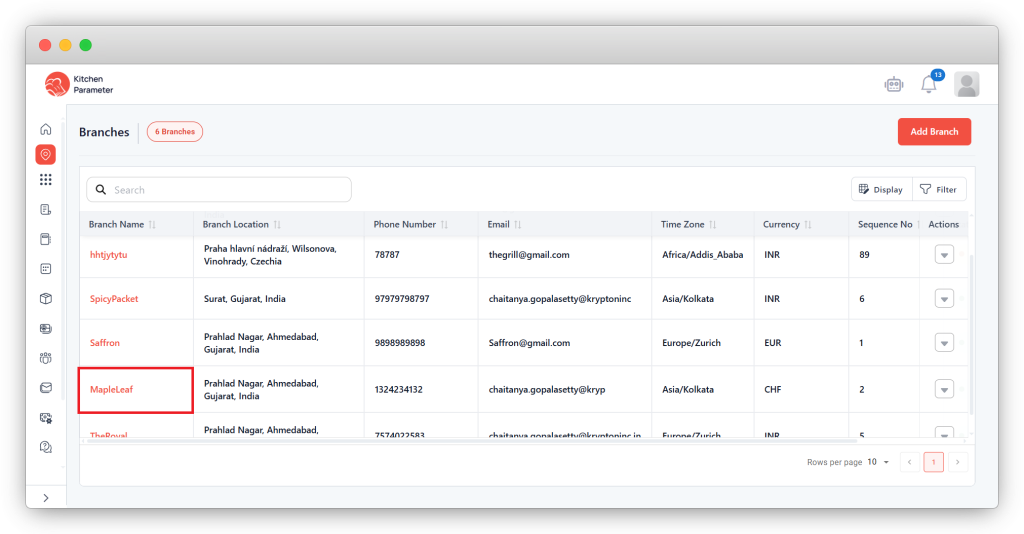
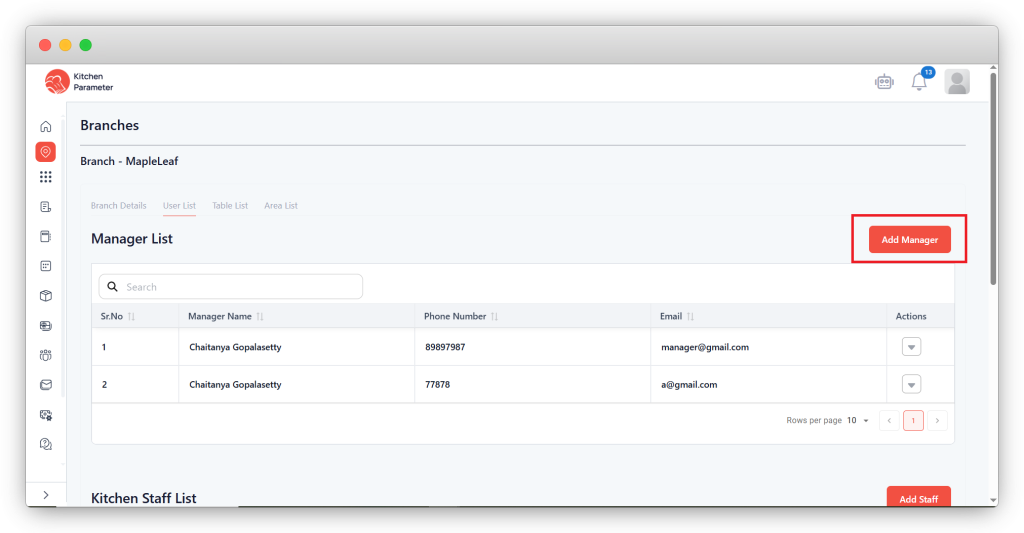
Step 4: Inside the “Branches view” page, click on the “User list” tab.
Step 5: Click on the “Add Manager” button to create a new manager.
Step 6: Enter all the mandatory details to create a manager.
- Manager name
- Phone number.
- Password
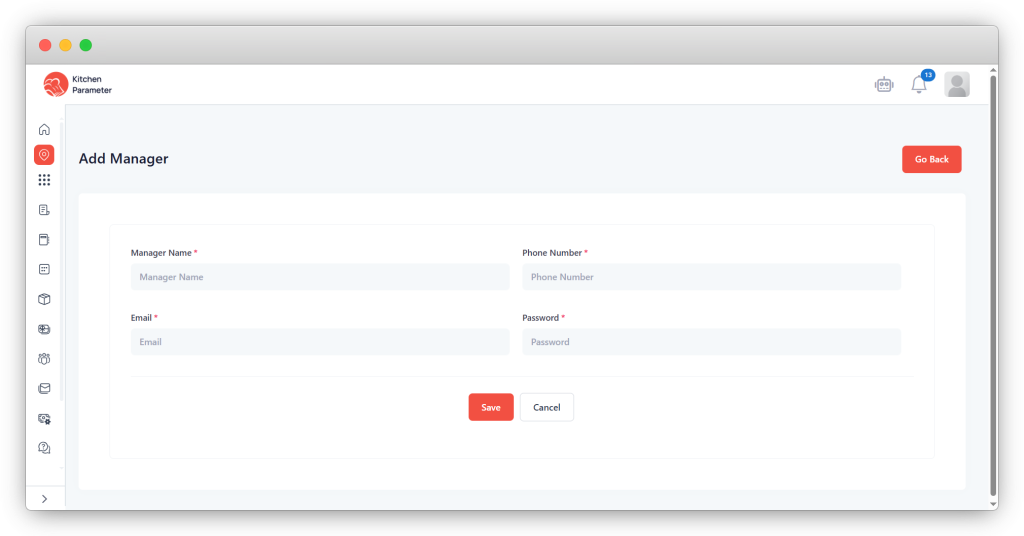
Step 7: Finally, click on the save button.