Step 1: Login to your panel with your credentials.

Enter your login email and password and click on the login button.
Step 2: After logging in successfully, click on the settings option from the sidebar.
Step 3: Inside the setting options, click on the user management
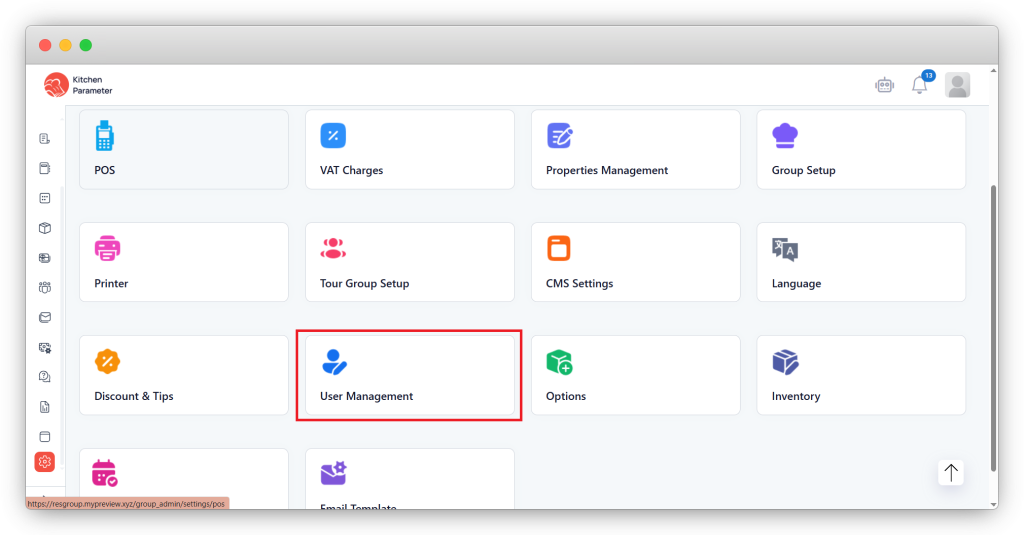
Step 4: Click the “Add user” button inside the user management.
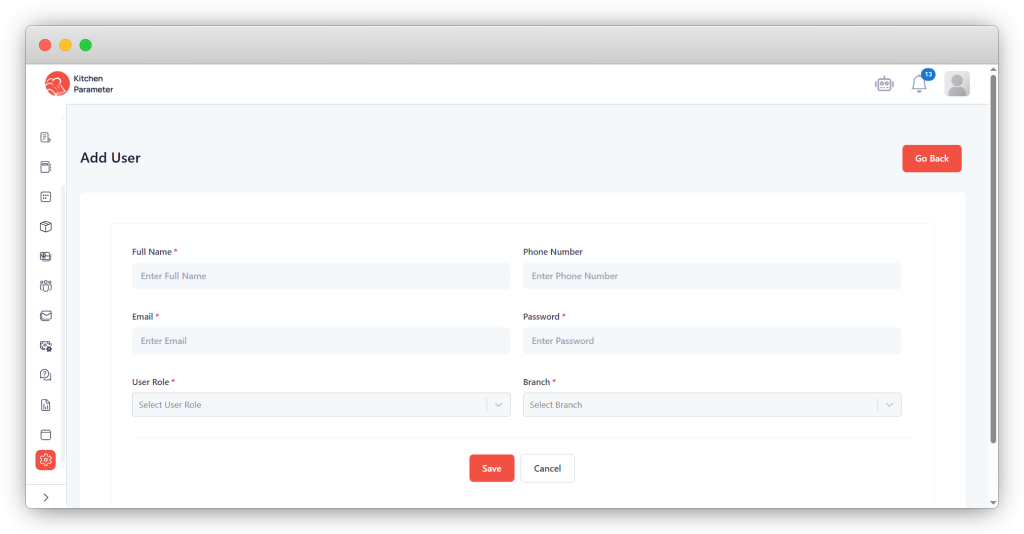
Step 5: Enter all the details for creating the user.
Step 6: Select the role you have created last under the Role.
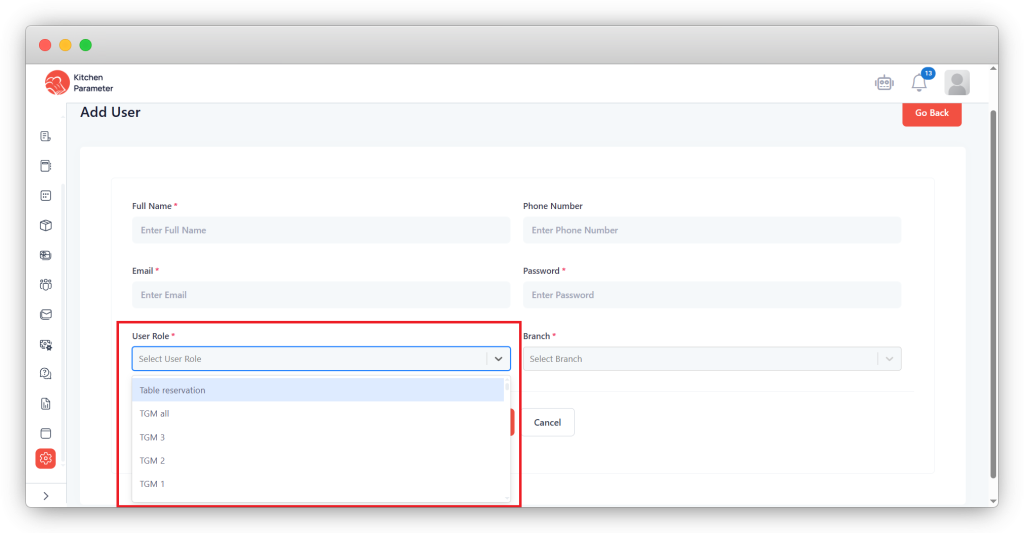
Step 7: Finally, click on the save button to create the user.
Now, you have created the role successfully. Please log in to the with those email and password in your “Restaurant group admin” URL.