We are setting up the dine-in at the branches. Let’s see how we can set up the Dine-In branches.
Step 1: Log in to the panel
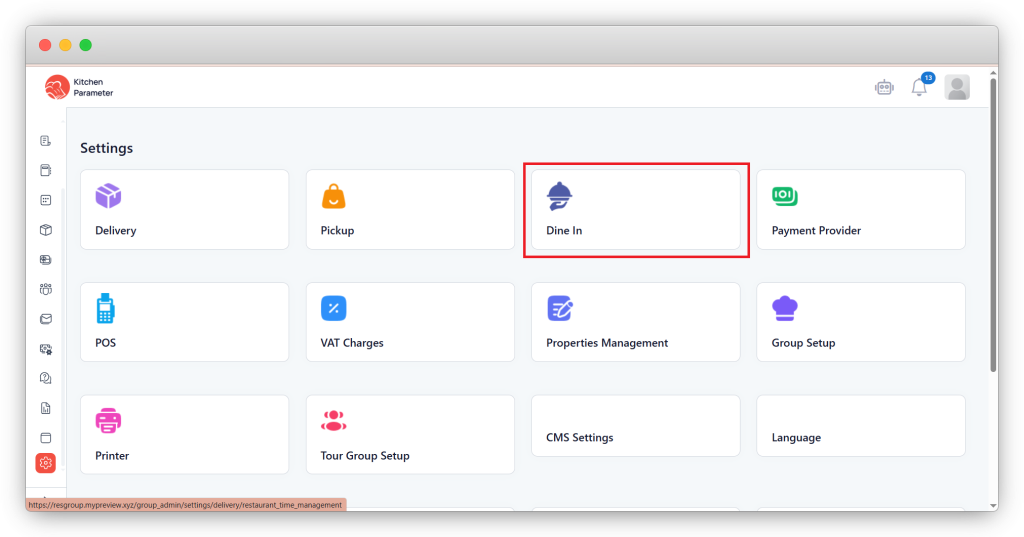
Step 2: Click on the settings inside the sidebar.
Step 3: Click on the “Dine In” option inside the settings
Step 4: Select “Branch” inside the Dine in from the right-hand side corner drop-down.
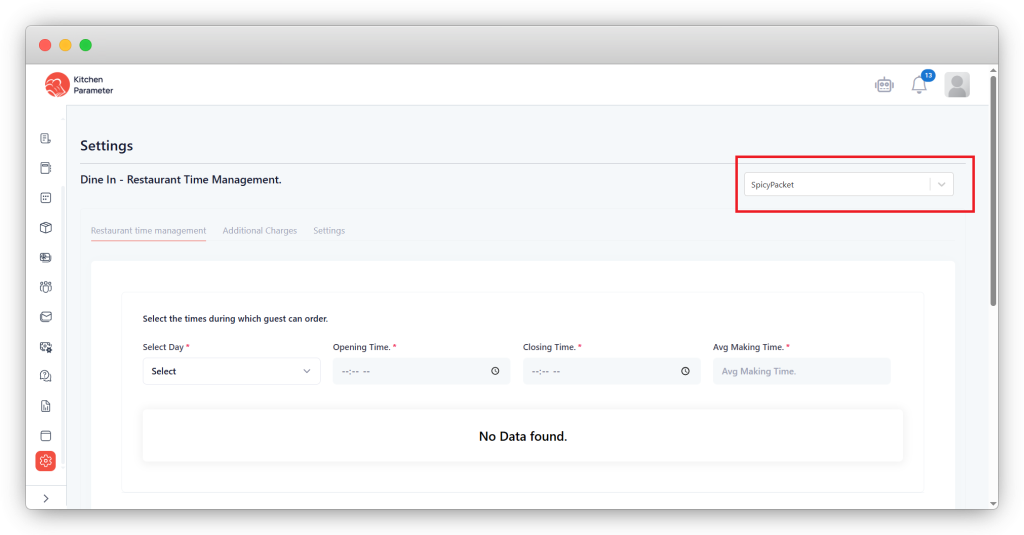
Step 5: Click the “Settings” bar inside the Dine in.
Step 6: Select the “Dine In” checkbox to “Active” for the branch.
Step 7: Select the “Order notes” checkbox to allow the addition of order notes while placing dine-in orders.
Step 8: Now select “Payment method”, whether it is “Online” or “Cash”.
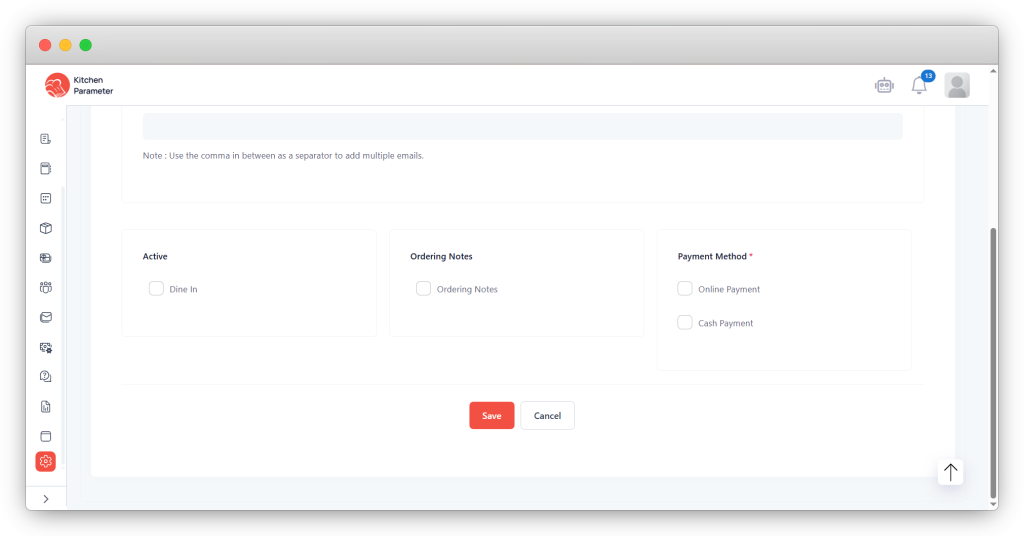
Step 9: Finally, click on the “Save” button.