Step 1: Log in to the panel

Step 2: Click on the menus inside the sidebar.
Step 3: Click on any menu name from the list of menus.
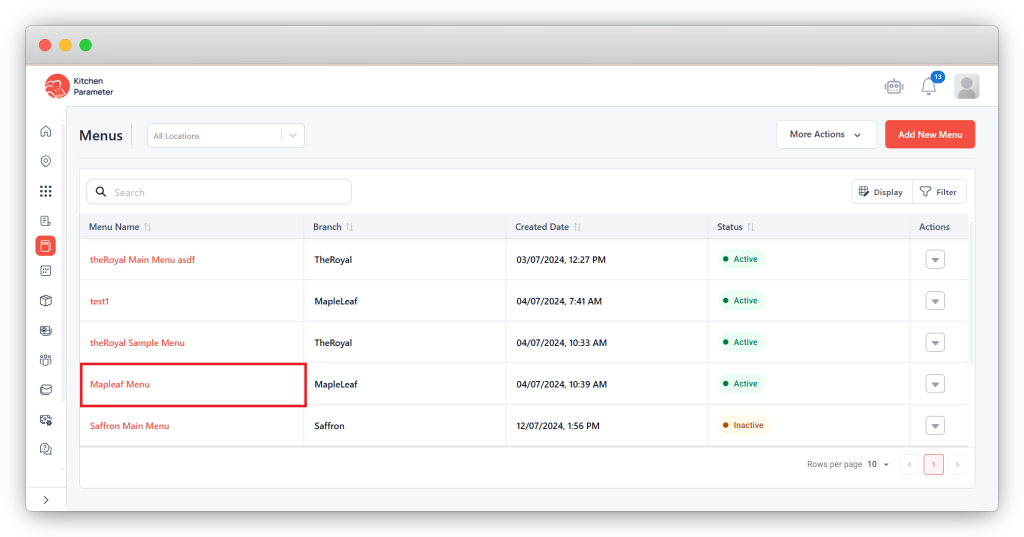
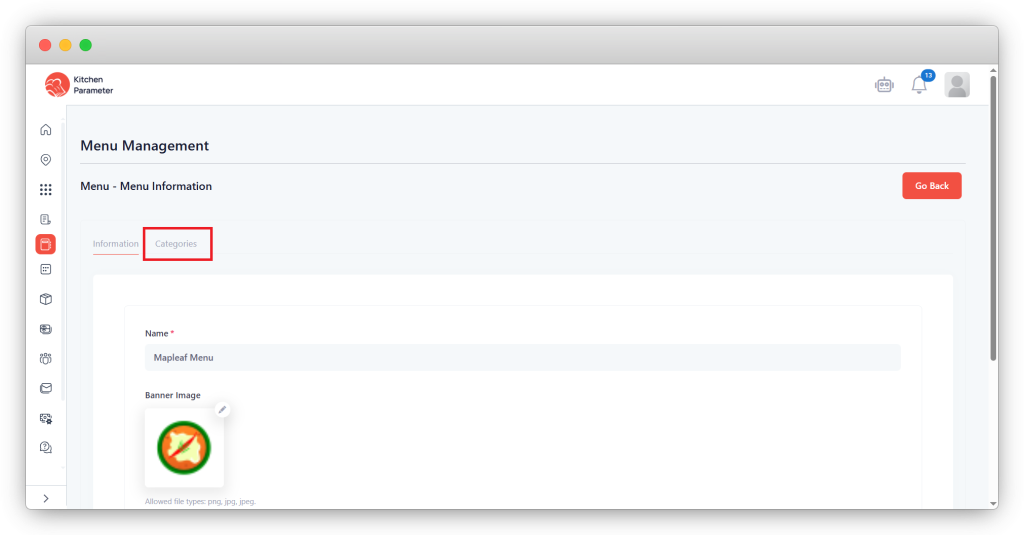
Step 4: Click on the Categories tab inside the menu
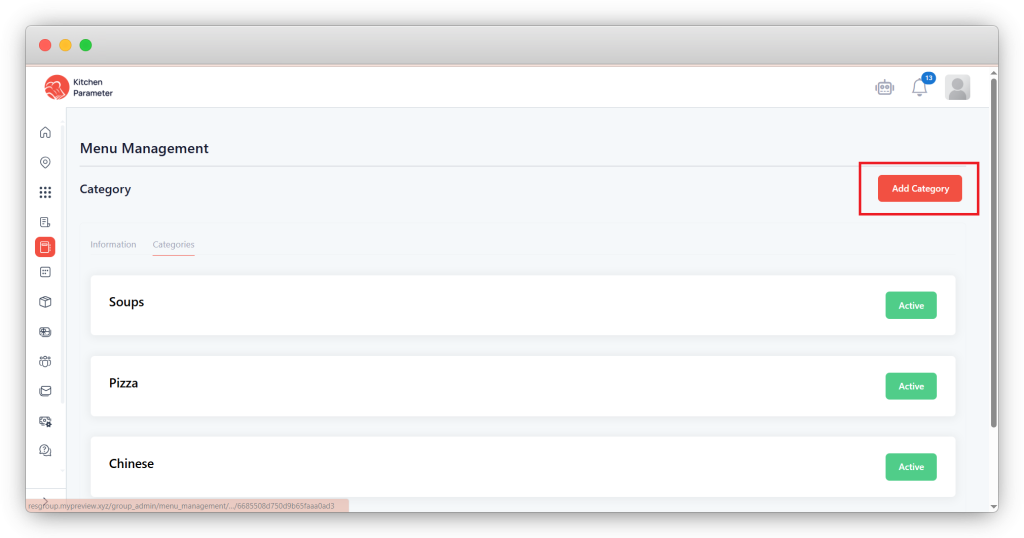
Step 5: Click on the Add category button to create the category.
Step 6: Enter all mandatory details to create a category.
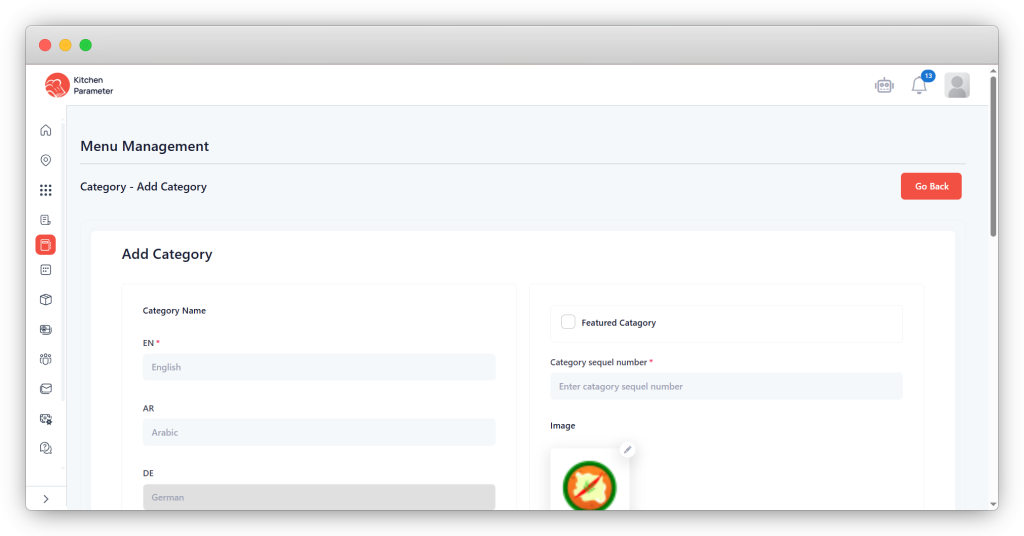
Step 7: After entering all the details, click on the save button.