Step 1: Log in to the panel

Step 2: Click on the menus inside the sidebar.
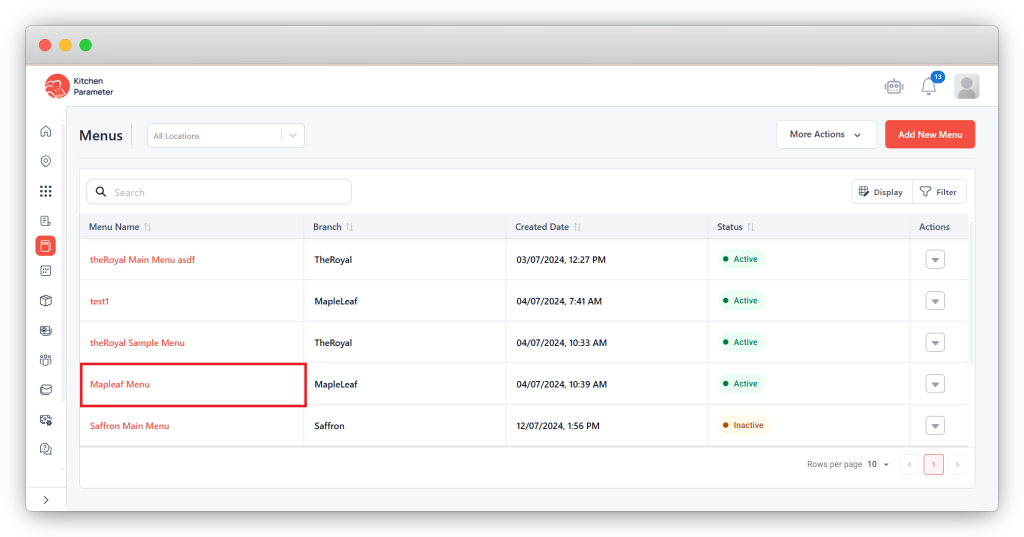
Step 3: Click on any menu name from the list of menus.
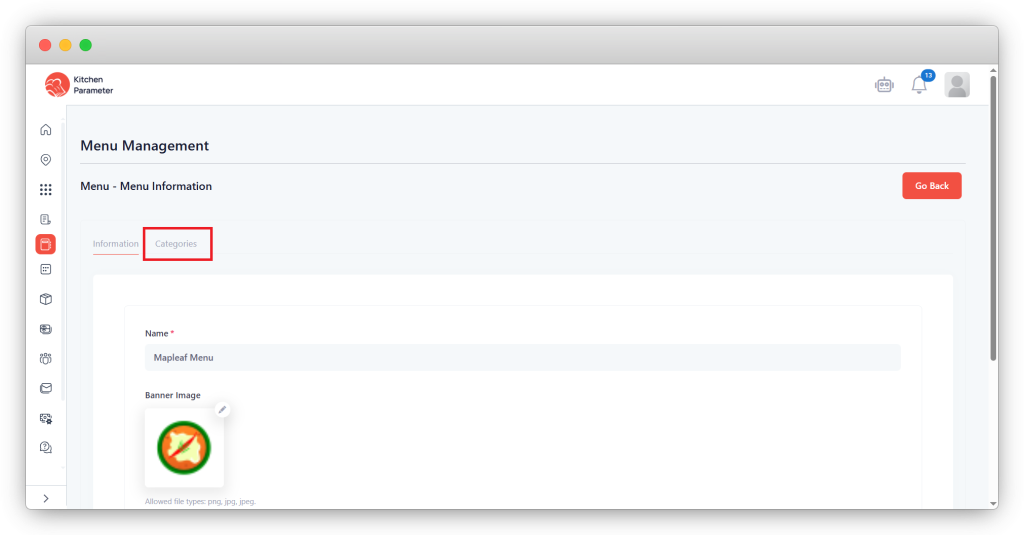
Step 4: Click on the Categories tab inside the menu
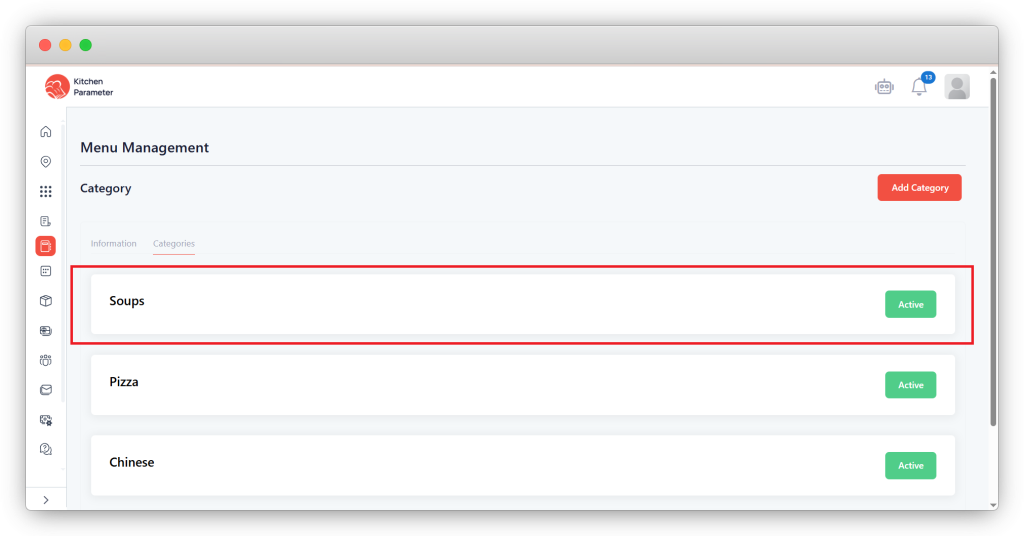
Step 5: Click on the category.
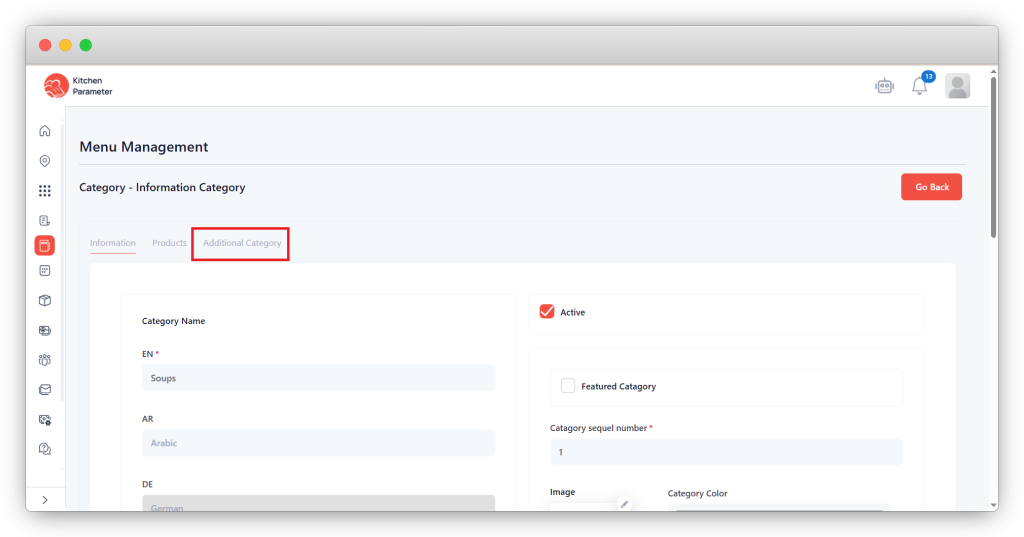
Step 6: Click on the Additional category tab.
Step 7: Enter the Additional category “Title” & “Description”.
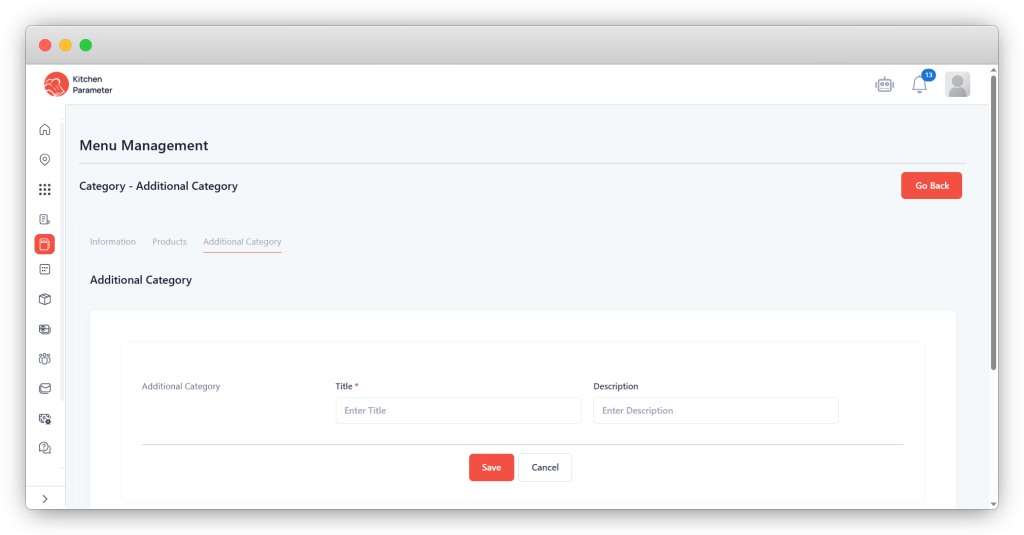
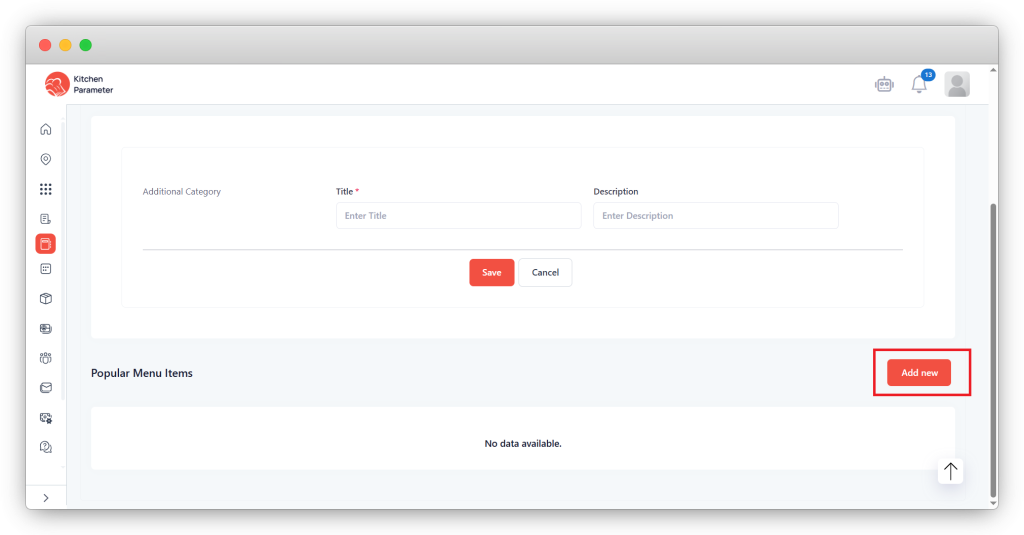
Step 8: Scroll down until you see the “Add new” button option to add “Popular Items”.
Step 9: Click on the “Add new” button.
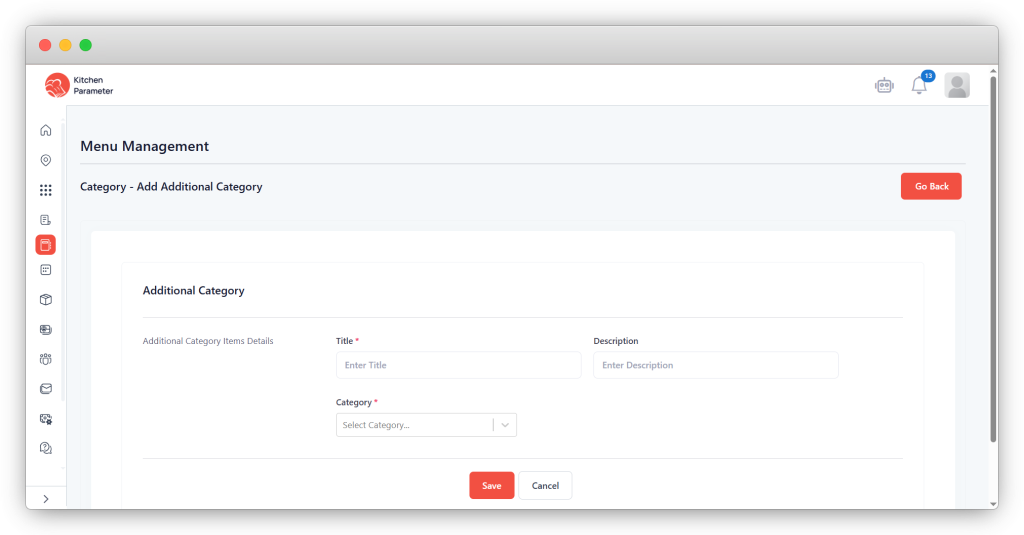
Step 10: Enter the Title of the popular products.
Step 11: Select the Category from the drop-down.
Step 12: Select the products you want to showcase with those category products.
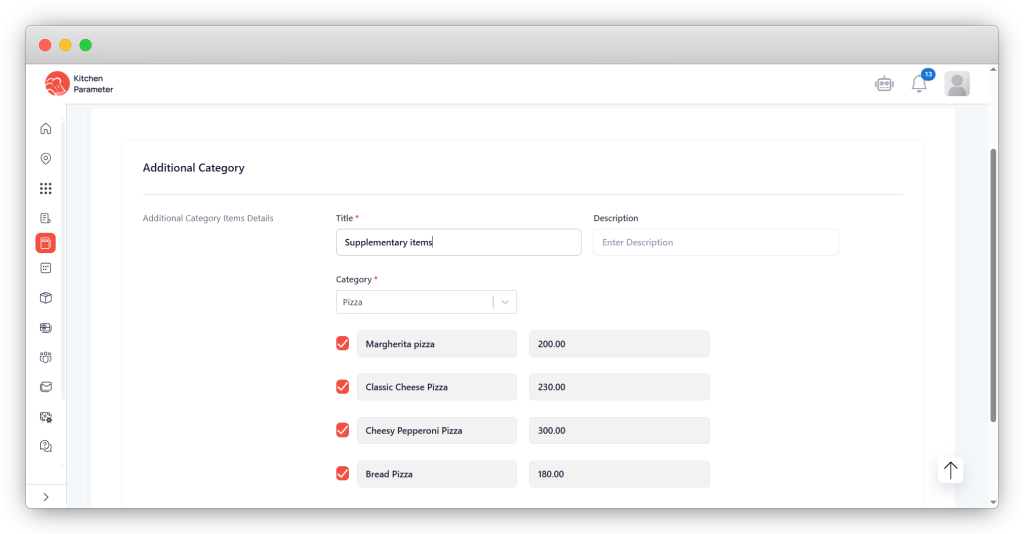
Step 13: After filling in all the data, click on the save button.