Step 1: Login to your panel with your credentials.

Enter your login email and password and click on the login button.
Step 2: After logging in successfully, click on the settings option from the sidebar.
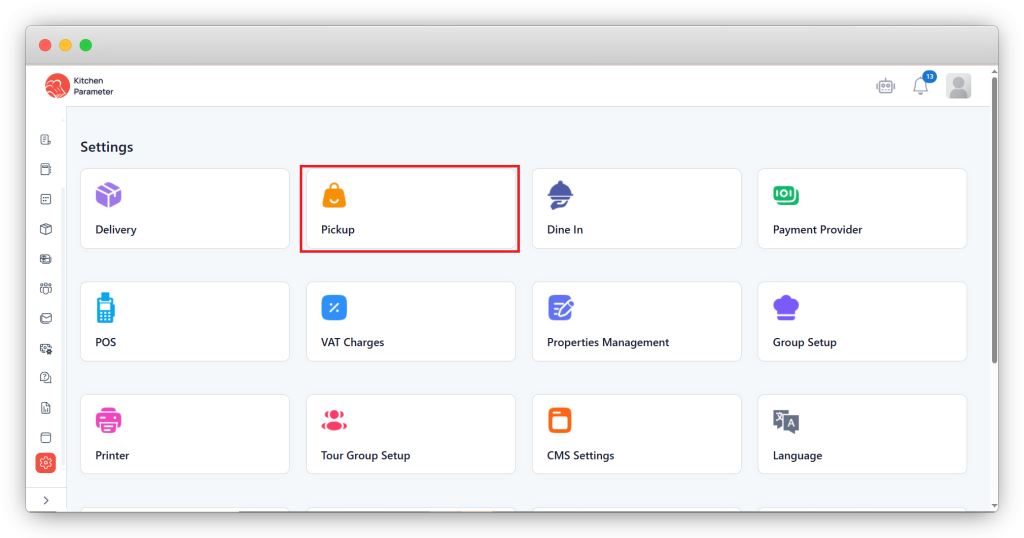
Step 3: Inside the settings, click on the Pick up option.
Step 4: Select the branch from the list of branches on the Right-hand side corner.
Step 5: Under the “Restaurant Time Management” bar, select the date option as “Auto”, “Manual” & “Direct”.
- Auto: We must create the date and timings for that selection by clicking on it.
- Manual: We need to enter the dates manually.
- Direct: Don’t need to select the dates.
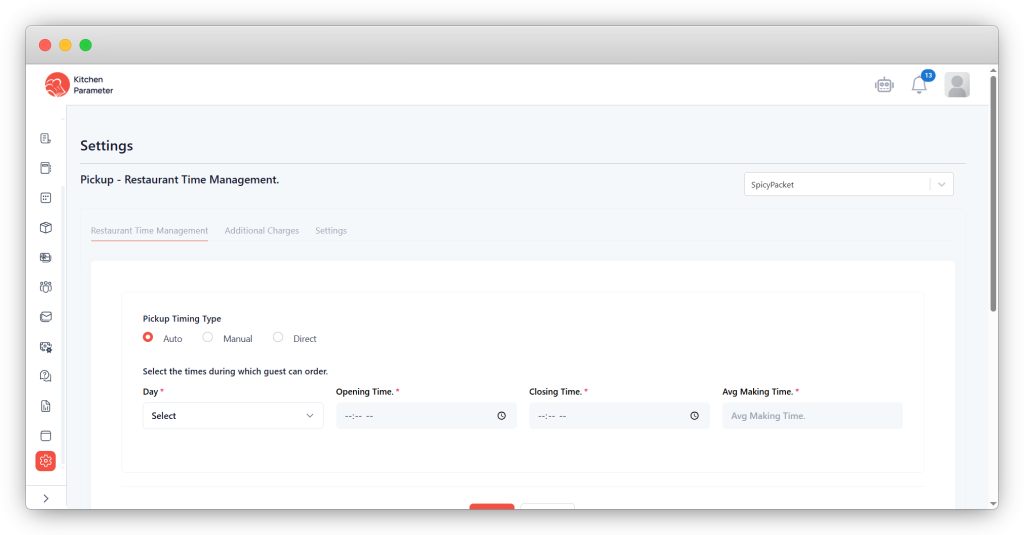
Step 6: First, click on the “Auto” option.
Step 7: Select the “Day” from the drop-down.
Step 8: Enter your “Opening Time” & “Closing Time”
Step 9: Enter the “Avg making Time”
Step 10: Finally, click on the save button.