Step 1: Login to your panel with your credentials.

Enter your login email and password and click on the login button.
Step 2: After logging in successfully, click on the settings option from the sidebar.
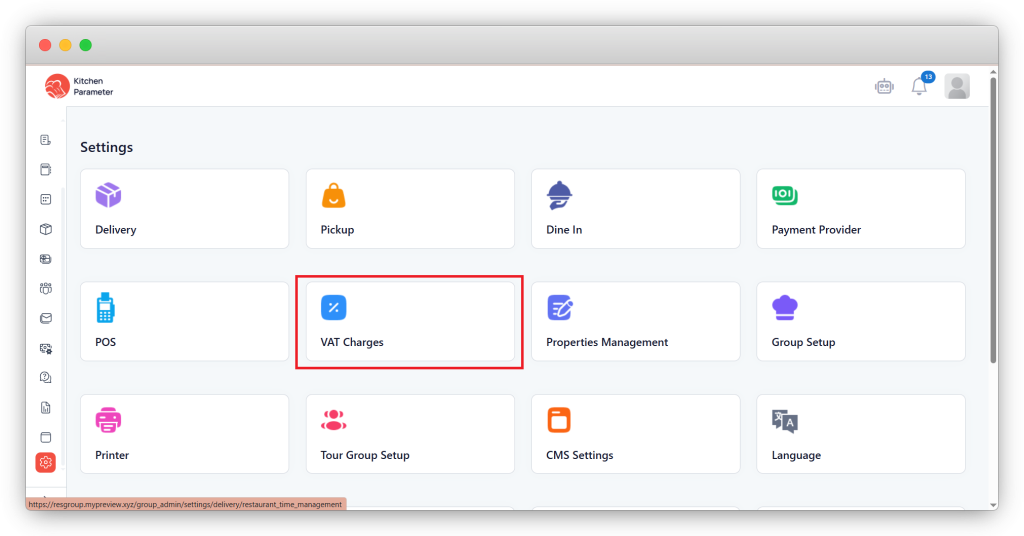
Step 3: Inside the “Settings”, click on the VAT Charges option.
Step 4: Select the branch inside the VAT Charges page. From the right-hand side corner.
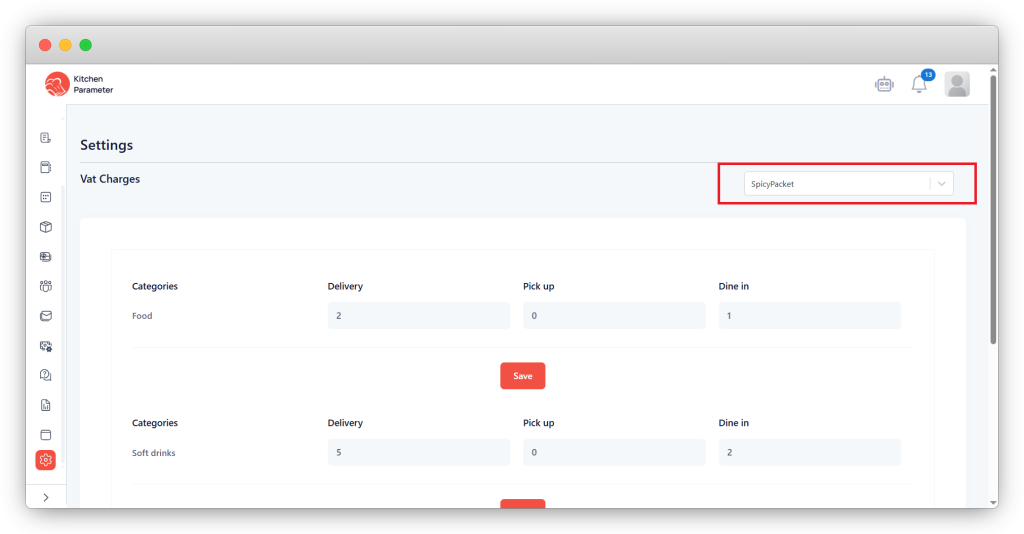
Step 5: According to the category, enter the VAT values for Delivery, Pickup & Dine In.
Step 6: Finally, after entering the values, click on the save button after completing entering the values.